
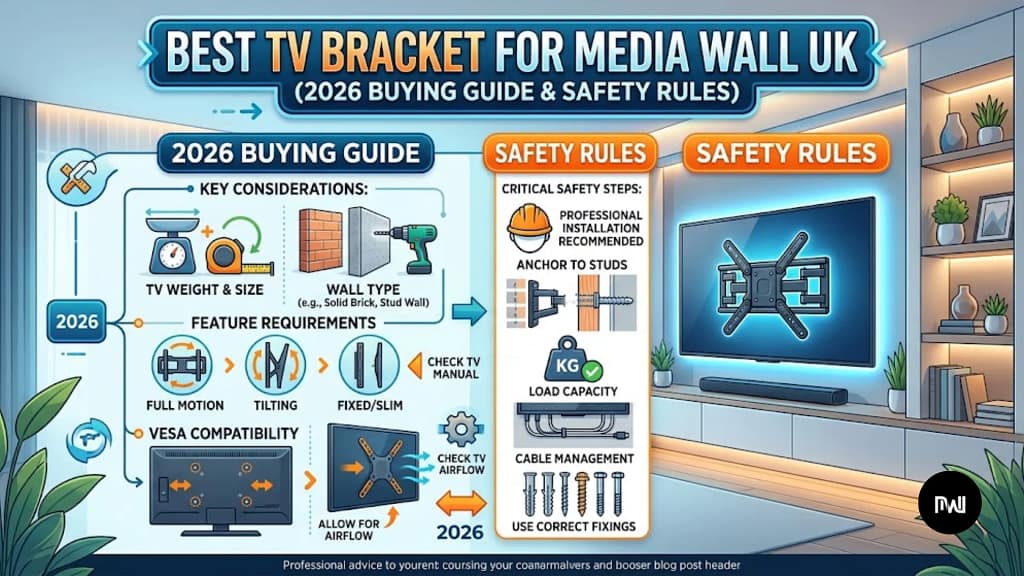
 I learned this the hard way.
A £2,400 media wall. Stunning oak-effect MDF cladding. Perfect LED lighting that cost me three trips to Screwfix to get right. Then I mounted my 65″ OLED with a £22 bracket from eBay.
It stuck out like a sore thumb.
The TV protruded 6cm from the alcove. My “premium” media wall looked like a university student’s first flat. I remounted it three times before I figured out what actually matters when finding the best tv bracket for media wall builds: profile depth.
Not “low-profile.” Not “slim-fit.” The actual millimeter measurement of how thick the mount is. Because that 6cm gap? It’s the difference between a £3,000 feature wall and something that screams “I saved money in the wrong place.”
This guide is everything I wish I’d known before I drilled the first hole. Before you start cutting your frame, make sure you properly plan your media wall project to map out spatial gaps and depth dimensions.
Quick Wins (Start Here)
- Vogel’s THIN 505: 11mm profile (most flush media wall TV mount ) at £79.99.
- Profile Rule: Profile depth must be at least 50mm less than your alcove depth.
- Structural Safety: Never mount to plasterboard alone—always fix into timber studs.
- Airflow Clearance: Leave 50mm behind the TV for cables and proper ventilation.
Why Standard Mounts Don’t Work
Your mate’s tilting bracket won’t fit. It sticks out 60mm when most media wall alcoves are 80-100mm deep. Add 50mm for cables and your TV protrudes awkwardly.
Media walls need an ultra-slim best TV wall bracket . Under 30mm profile. Fixed position. No swiveling arms that add bulk you don’t need. If you’re learning how to build a media wall in the UK , choosing the right mount early saves expensive remounting later.
You’re also mounting into MDF panels over studs, not solid brick. The bracket must span multiple studs, or it’ll rip out when you’re adjusting the angle six months later. Choosing the best materials for media walls helps ensure your timber framework can handle the weight.
Best TV Mounts for Media Walls UK: Top 5 Tested
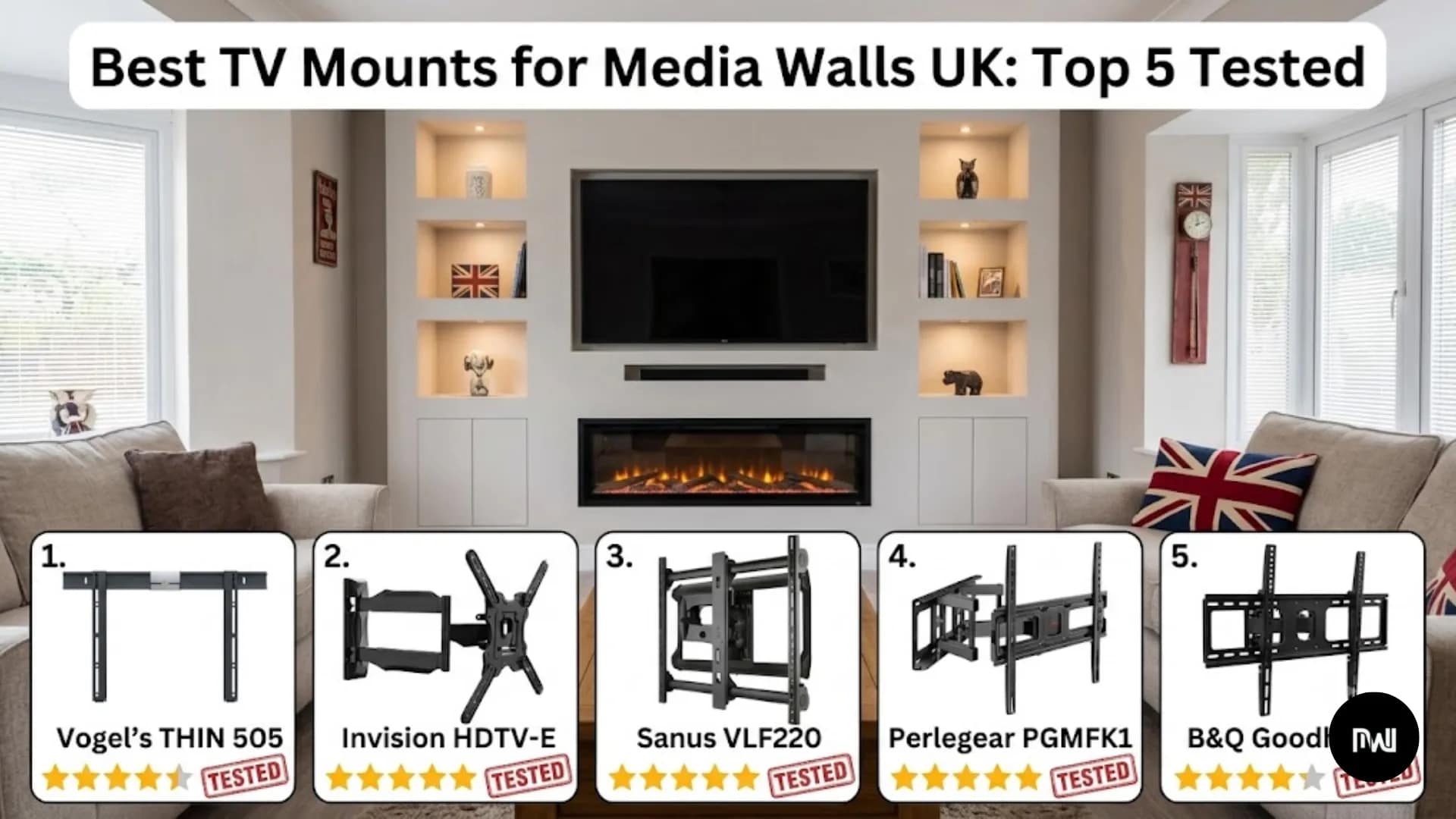
1. Vogel’s THIN 505 – If Money’s Not Tight
£79.99 | Currys
This is 11mm thick. Literally the slimmest best TV mount you can buy in the UK right now. You can check the detailed specs directly on the official Vogel’s site.
Your TV looks built into the wall—not mounted on it. That’s the difference between a pro job and DIY that screams “I saved money.”
The TiltView feature is clever. Push the bottom of your screen, and it tilts forward 8 degrees. Access your HDMI ports without tools. Push back, and it clicks flush again. I’ve used this feature 20+ times in six months—it’s not a gimmick.
It’s Dutch-made, comes with a proper built-in spirit level, and the wall plate adjusts ±10mm horizontally so you can center the TV even when studs aren’t perfectly spaced. Cable channels behind the mount fit three HDMI cables plus power so wires disappear completely.
- Worth it? Yes, if you’ve spent £2,000+ on your media wall. The extra £50 over Invision is worth the flush look.
- Don’t buy if: You’re building on a tight budget. If so, check out our guide on low-cost budget media wall ideas .
2. Invision HDTV-E – Best Value Pick
£32.99 | Buy Now ON Best Price
This handles 65-70″ TVs up to 50kg—heavier than Vogel’s supports, which matters if you’ve got a massive OLED.
The 28mm profile works fine for alcoves 80-100mm deep. Not ultra-slim, but slim enough. Your TV still looks integrated, especially on budget media wall builds where every pound saved matters.
The wall plate is 460mm wide and spans three studs at standard 400mm spacing—critical when you’re building media walls with MDF cladding over timber frames. Includes stainless steel hardware, a bubble level, and a click-lock system so one person can hang the TV solo.
- Worth it? Absolutely. Best £33 you’ll spend on your media wall.
- Don’t buy if: You want an ultra-slim 11mm profile or your alcove is less than 80mm deep.
3. Sanus VLF220 – Only If You Need Movement
£159.99 | Richer Sounds
Most full-motion mounts stick out 150-200mm when collapsed—useless for media walls. This one sits at 42mm collapsed and extends to 280mm when you need it.
I only recommend this full-motion best wall mount TV bracket for open-plan living rooms where you watch TV from multiple angles, or when reviewing TV above fireplace safety guidelines where screen glare changes throughout the day.
Push it back—sits flush. Pull it out—45-degree swivel, 15-degree tilt. Then push back again. Includes post-installation leveling so if your TV is wonky after hanging, you just twist the adjustment screws.
- Worth it? Only if you genuinely need movement. Otherwise save £130 and get the Vogel’s or Invision.
- Don’t buy if: Your TV position is fixed. You’re wasting money on features you won’t use.
4. Perlegear PGMFK1 – Proper Budget Option
£24.99 | Buy Now ON Best Price
Half the price of Invision. Quarter the price of Vogel’s. Still does the job.
Featuring a 25mm profile, this best wall mount for TV holds 75″ TVs up to 60kg. The powder coating scratches more easily than premium models, but the steel structure is solid.
- Worth it? Yes, if budget’s tight and you’re doing everything else cheap.
- Don’t buy if: You’ve spent £3,000+ on your media wall. The £55 extra for Vogel’s is worth the flush look.
5. B&Q Goodhome – For Smaller TVs
£30.00 | B&Q Stores
Grab it when you’re buying MDF panels and paint to save an Amazon order. Handles 43-55″ TVs with a 20mm profile that creates a flush mount on smaller screens. Fine for bedrooms or an alcove media wall setup .
- Worth it? If you’re at B&Q anyway and need something for a 50″ bedroom TV.
- Don’t buy if: Your TV is over 55″ or weighs more than 30kg.
Mount Comparison Quick Guide
| Mount Model | Price | Profile Depth | TV Size Range | Weight Rating | Best For |
| Vogel’s THIN 505 | £79.99 | 11mm | 40–65″ | 30kg | Premium flush builds |
| Invision HDTV-E | £32.99 | 28mm | 37–70″ | 50kg | Best value overall |
| Sanus VLF220 | £159.99 | 42mm | 51–80″ | 56kg | Full-motion needs |
| Perlegear PGMFK1 | £24.99 | 25mm | 37–75″ | 60kg | Tight budgets |
| B&Q Goodhome | £30.00 | 20mm | 32–55″ | 35kg | Small TVs only |
How to Pick the Right Media Wall TV Mount
Check Your VESA Pattern
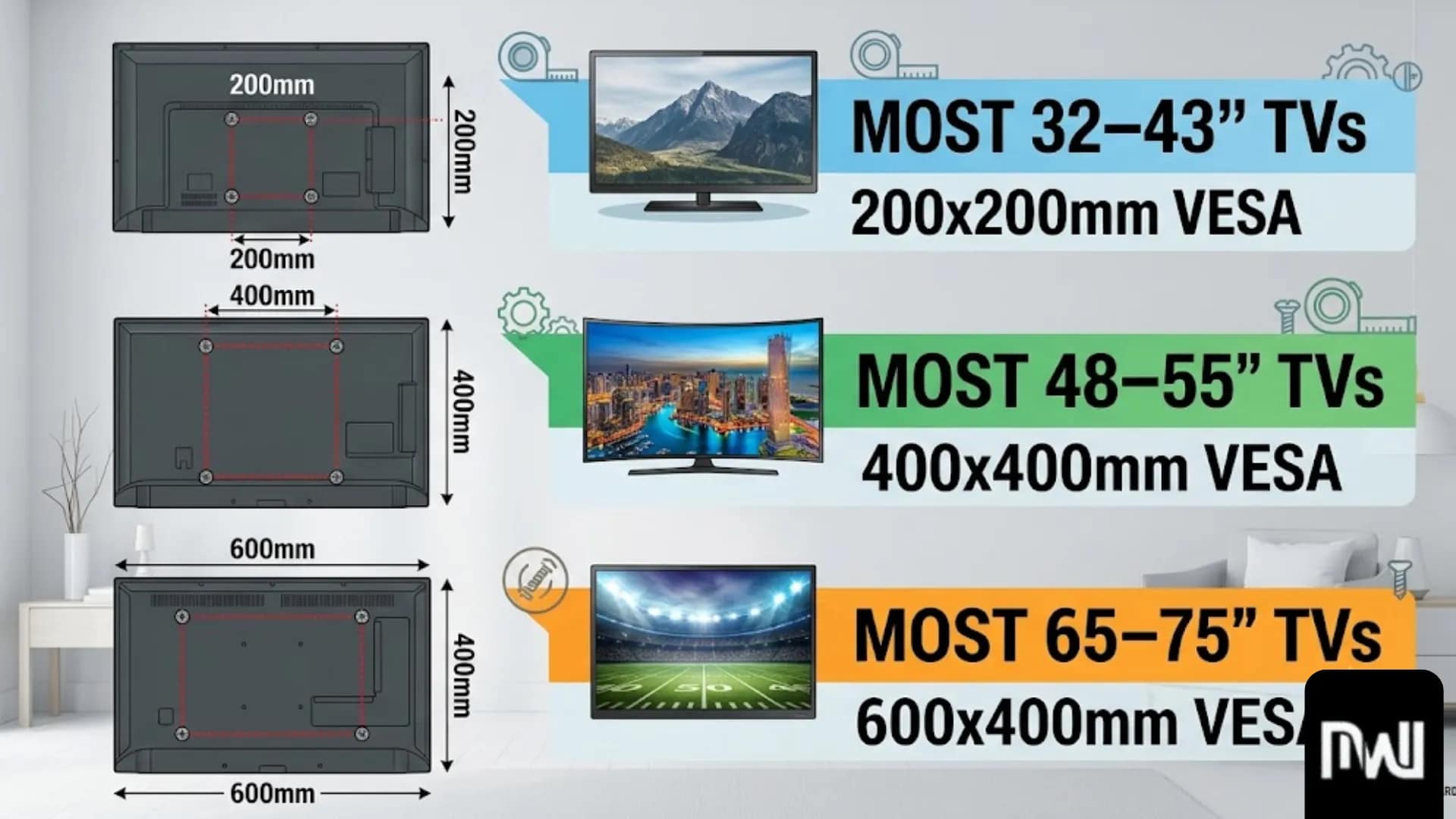
Measure the distance between the four mounting holes on the back of your TV in millimeters. According to official VESA Mounting Standards , these are the standard dimensions:
- 200x200mm: Most 32–43″ TVs
- 400x400mm: Most 48–55″ TVs
- 600x400mm: Most 65–75″ TVs
Measure your TV’s VESA pattern first, then buy a bracket that matches.
Match Profile to Alcove Depth
If your alcove is 100mm deep and your TV mount is 28mm thick, you need 50mm behind for cables and ventilation:
28mm + 50mm = 78mm (leaving 22mm spare).
Formula: Maximum Mount Profile = Alcove Depth minus 50mm.
Find Your Studs First
Buy a cheap stud finder from Screwfix , run it over your wall, and mark each timber stud with a pencil. Your mount must attach to studs—never plasterboard alone. Plasterboard only holds 15-20kg per anchor, whereas a 30kg TV requires solid timber. According to UK Building Regulations , proper structural mounting is critical for heavy wall-hung fixtures to prevent structural failure.
Installing It Right
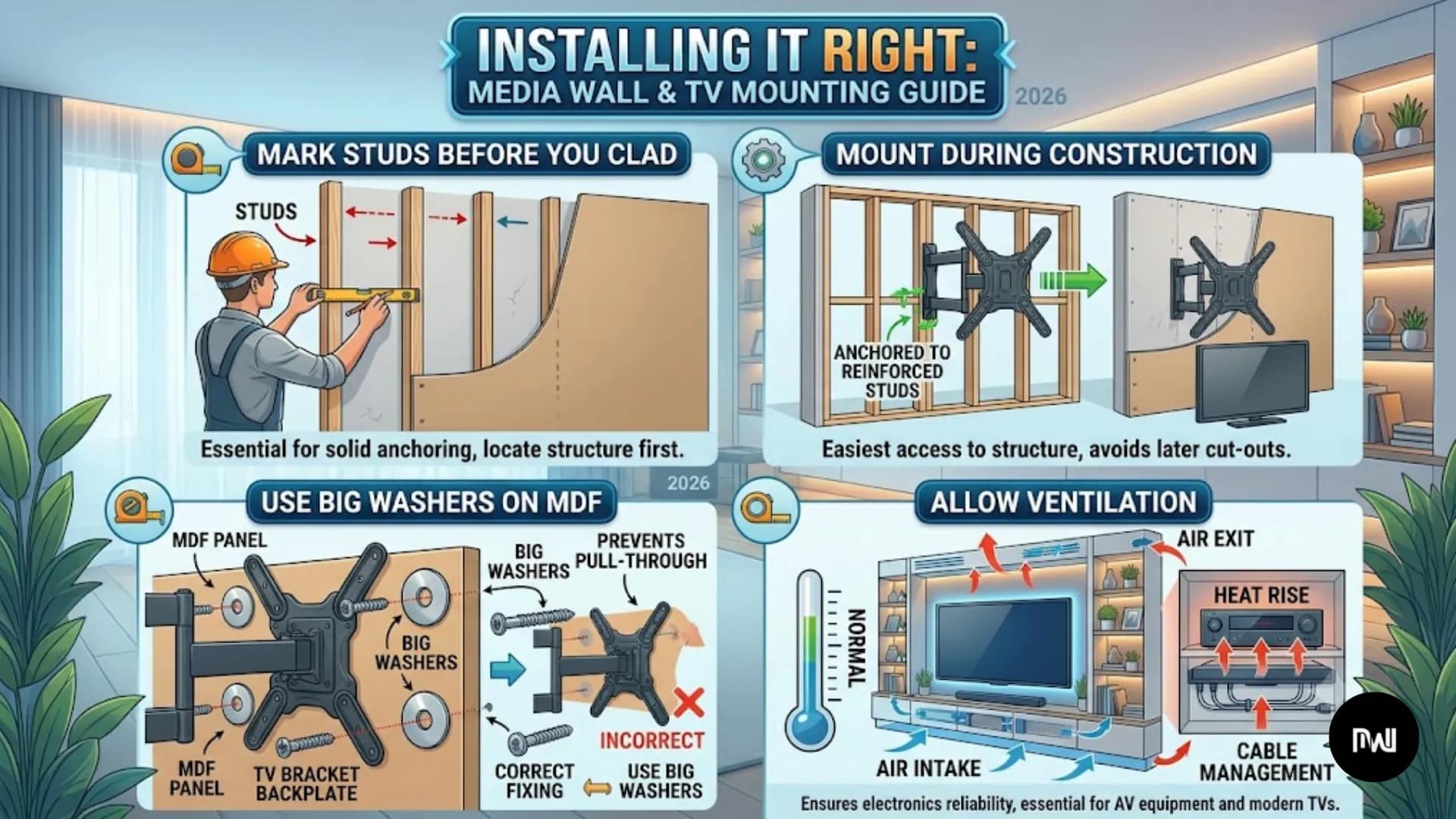
Mark Studs Before You Clad
Don’t finish your MDF panels then try finding studs—you can’t. Locate studs on the bare wall, mark them with pencil, take photos, and transfer measurements to finished panels later.
Mount During Construction
Mount the wall plate to studs while framing. Paint around it, then hang the TV after everything is dry. Trying to drill into a finished alcove with limited space is a nightmare.
Use Big Washers on MDF
MDF compresses under pressure. Standard M8 bolts create point pressure with 13mm heads. Add M8 stainless steel washers (24mm diameter) to spread the load and prevent crushing your painted finish.
Allow Ventilation
Modern screens need airflow. Advice from Electrical Safety First recommends leaving adequate clearance around enclosed appliances to avoid thermal build-up and reduce fire risk. Maintain a 50mm minimum clearance above and below your TV screen.
Cable Management & Audio Integration
Messy cables ruin a flush look. Proper routing separates professional builds from amateur DIY:
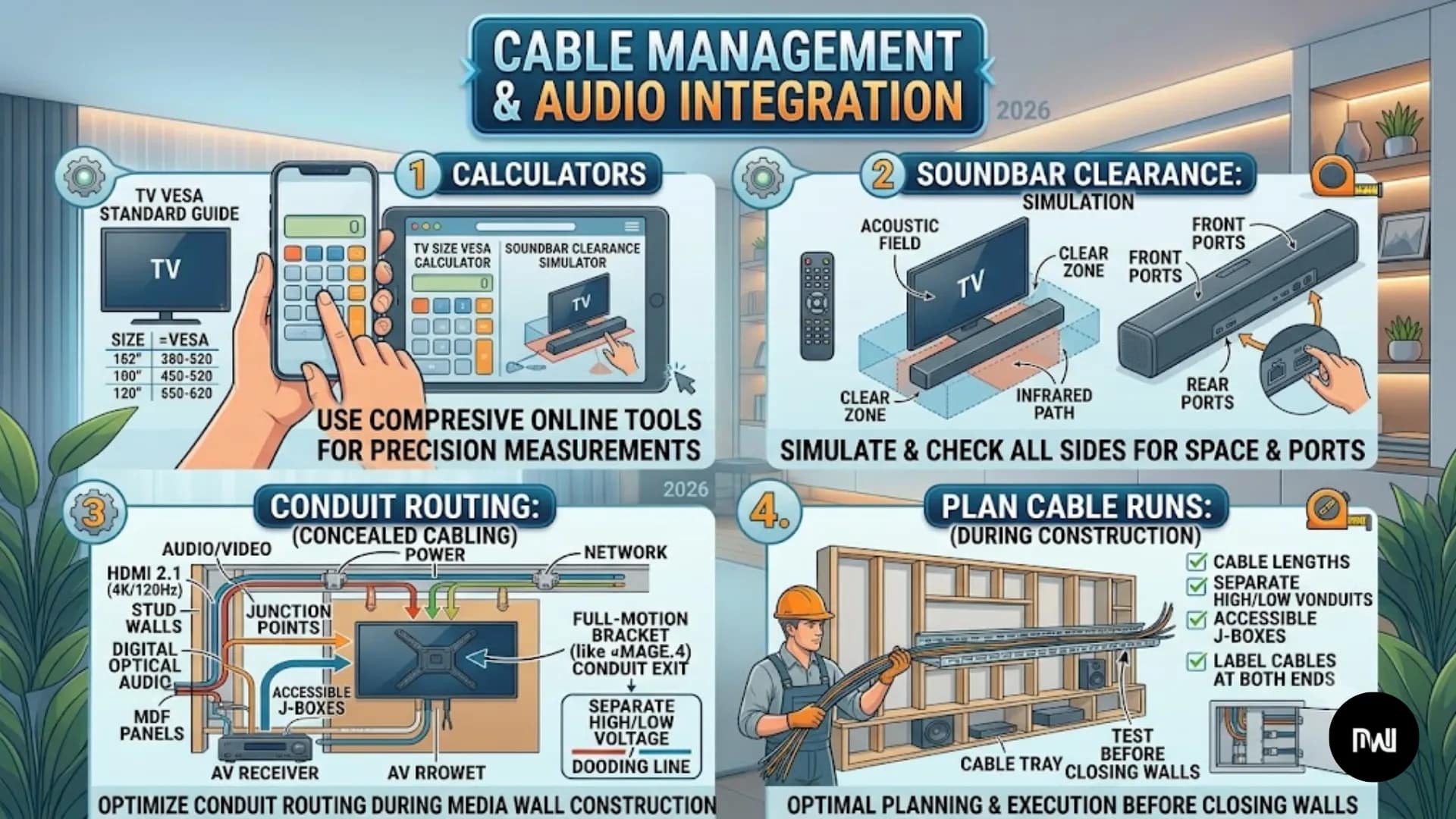
- Plan Cable Runs: Account for Sky/Virgin boxes, consoles, power, soundbar eARC, and Ethernet. (Note: In the UK, fixed electrical installations like adding new sockets must comply with UK Part P Electrical Safety Regulations ).
- Conduit Routing: Run cables through in-wall conduits. Refer to our media wall cable and wiring guide for step-by-step routing advice.
- Soundbar Clearance: Maintain proper spacing between your TV bracket and lower audio setup. Check our guide on where to put a soundbar on a media wall for gap measurements.
- Calculators: Use our free media wall layout calculator tool to calculate exact bracket heights based on seated eye level.
Common Mistakes to Avoid
- Wrong Profile Thickness: Buying a 45mm mount that doesn’t fit in an 80mm alcove once cables are plugged in.
- Mounting to Plasterboard Alone: It might hold for six months, then rip out. Always anchor into timber studs.
- Forgetting Ventilation: Leaving no air gaps causes heat buildup and shortens your TV’s lifespan.
- No Cable Access Plan: 11mm mounts require tilt-forward features or you’ll have to unmount the entire TV just to change an HDMI cable.
- TV Mounted Too High: Seated eye level (42–48″ from floor to screen center) is ideal. Mounting too high causes neck strain.
FAQs
My alcove is 90mm deep – which mount actually fits?
Use mounts under 40mm profile depth to leave 50mm for cables and airflow. The Invision HDTV-E (28mm) or Vogel’s THIN 505 (11mm) both fit comfortably.
Can I mount directly to MDF panels or do I need studs behind them?
Always mount to timber studs behind the MDF. MDF is decorative cladding and cannot safely hold a heavy TV. Use a stud finder and large 24mm washers to spread pressure.
Will my TV overheat inside a media wall alcove?
Not if you leave a 50mm clearance above and below for airflow. You can also cut discreet 100mm x 10mm ventilation grilles into top/bottom MDF panels and hide them behind LED strips. For lighting setup tips, see our media wall lighting guide .
How do I access HDMI ports with an 11mm ultra-slim mount?
Choose mounts with tilt-forward features like Vogel’s THIN 505 TiltView system, or use a slightly thicker mount (25-30mm) that provides hand clearance behind the screen.
How much does it cost to build a full media wall setup?
Costs vary based on custom joinery and mounts. See our full analysis on media wall installation costs in the UK or compare DIY vs professional media wall costs .
What is the best 65 inch TV bracket?
For a 65 inch TV on a media wall, use a slim fixed or tilt bracket rated for at least 30kg with VESA 400×400 or 600×400 support — most 65″ TVs use one of those two patterns. An ultra-slim fixed bracket ( £30–£50 ) keeps the TV flush in the recess; choose a tilt model ( £40–£80 ) if the TV sits above eye level. Always fix into timber studs or noggins, not just plasterboard, and check the bracket’s maximum weight rating exceeds your TV’s weight.
What is the best TV wall mount to buy?
The best TV wall mount depends on your setup: fixed slim mounts (£30–£50) for a flush finish inside a media wall recess, tilt mounts (£40–£80) for TVs mounted high, and full-motion mounts only where you need angle adjustment. For media walls, a fixed or tilt mount is usually best — full-motion arms need extra recess depth.
What is the best type of TV wall mount for a media wall?
For media walls, a fixed ultra-slim mount or a tilt mount is best. Fixed mounts sit flattest — as little as 11–25mm from the wall, like the Vogel’s THIN 505 or Perlegear PGMFK1. Tilt mounts add a few millimetres but let you angle the screen down. Avoid full-motion mounts inside shallow recesses — they usually need 60mm or more of depth and can push the TV proud of the wall face.
What TV bracket do I need?
Match three things: (1) VESA pattern — check your TV’s manual (common sizes: 200×200, 400×400, 600×400); (2) weight — the bracket’s max rating must exceed your TV’s weight; (3) recess depth — measure your media wall alcove and choose a bracket slimmer than the available depth. When in doubt, a tilt bracket with wide VESA compatibility covers most TVs from 43″ to 75″.
Final Call: What Should You Actually Buy?
If you’ve spent £2,000+ on your media wall, the Vogel’s THIN 505 at £79.99 is worth every penny. That 11mm profile creates an unbeatable flush appearance that makes your TV look built-in rather than mounted.
For most people, the Invision HDTV-E at £32.99 is the smart choice. It delivers 90% of Vogel’s performance at half the price, making it the best value pick in this guide. The 28mm profile works in standard 80-100mm alcoves.
Working with a tight budget? The Perlegear PGMFK1 at £24.99 gets the job done. The 25mm profile fits most alcoves, spans three studs, and the steel construction is solid.
Match your profile to alcove depth, always mount to studs, plan cable access before drilling, and test with weights before hanging your TV!